
Tracking · Tracking setup
Server-side tracking: one counted stream instead of double counting
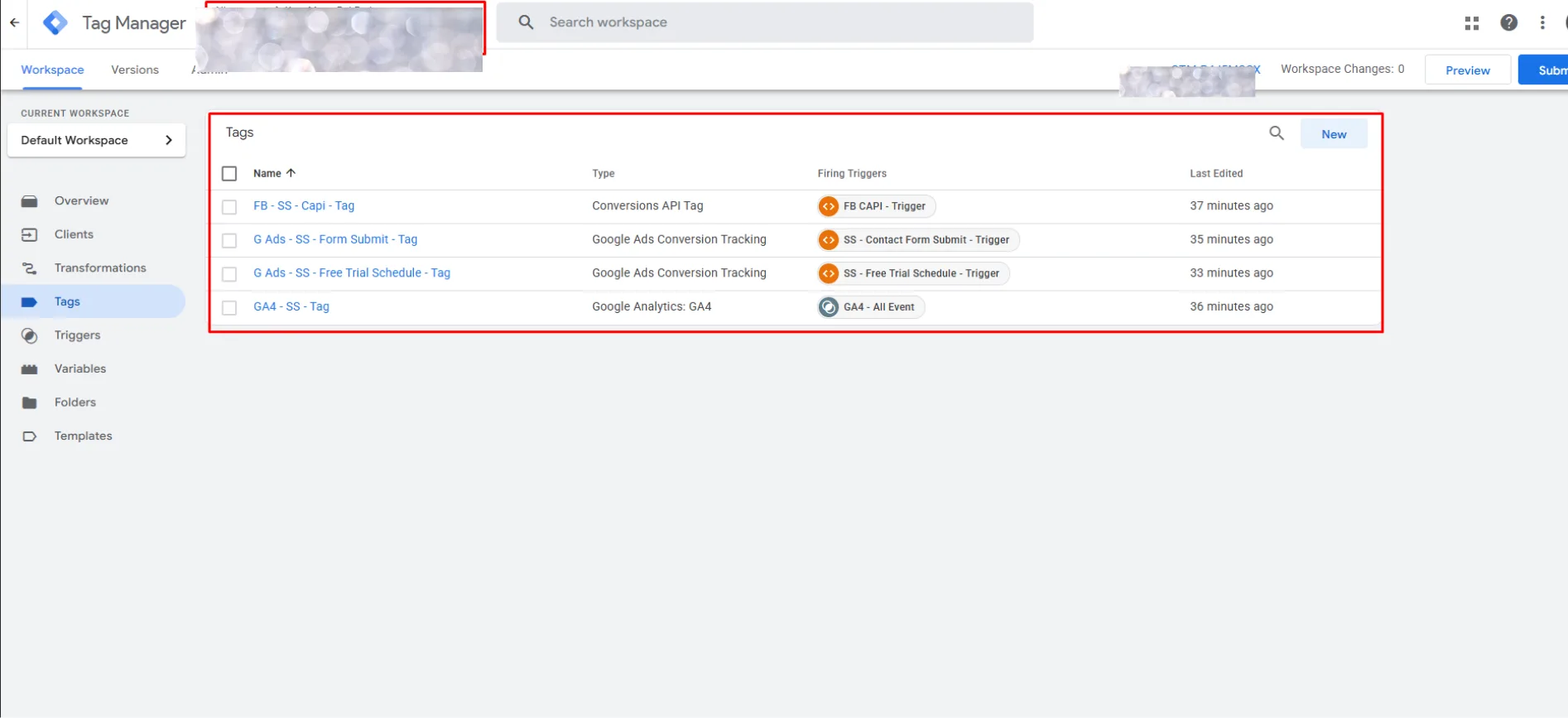
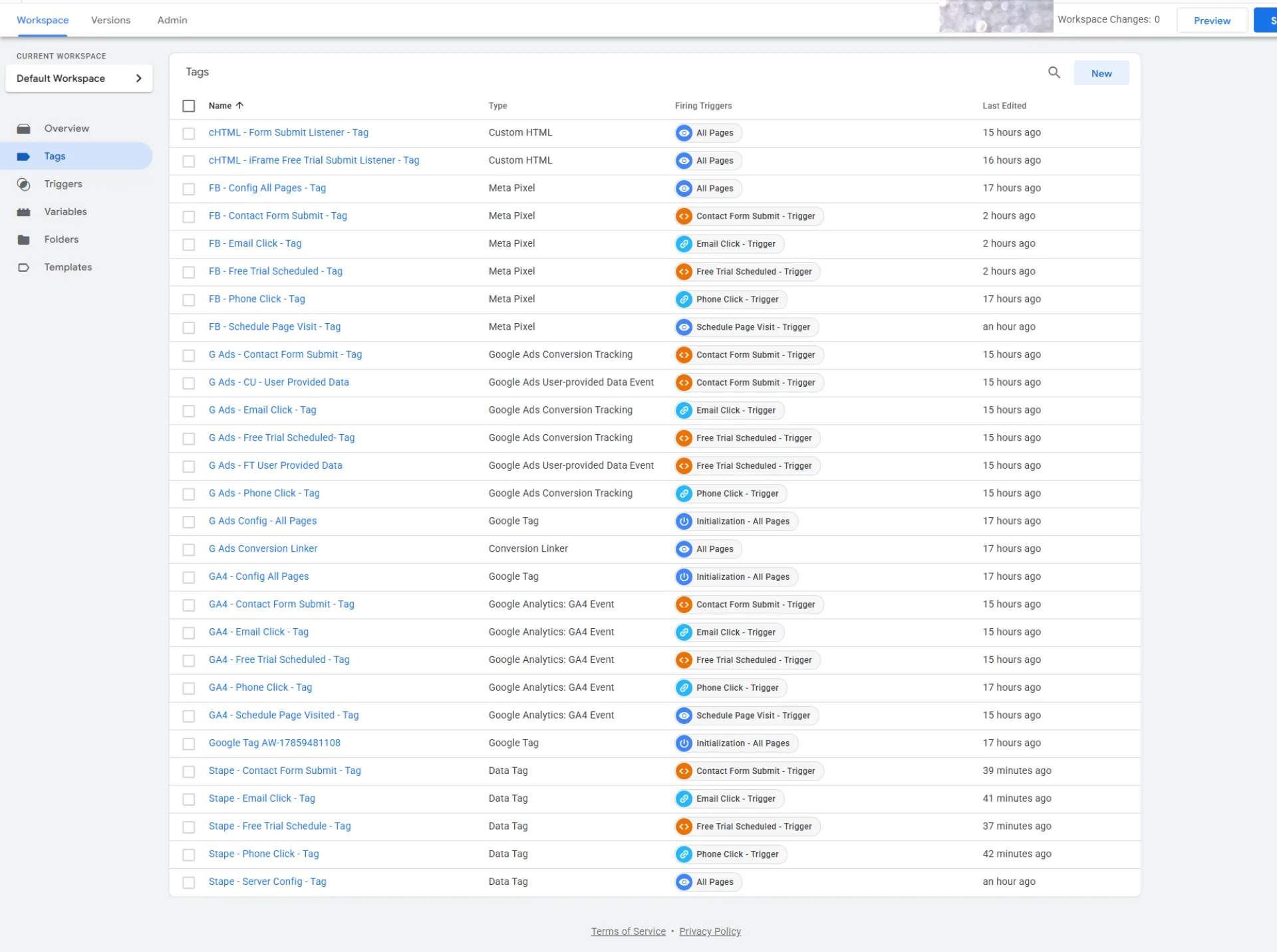
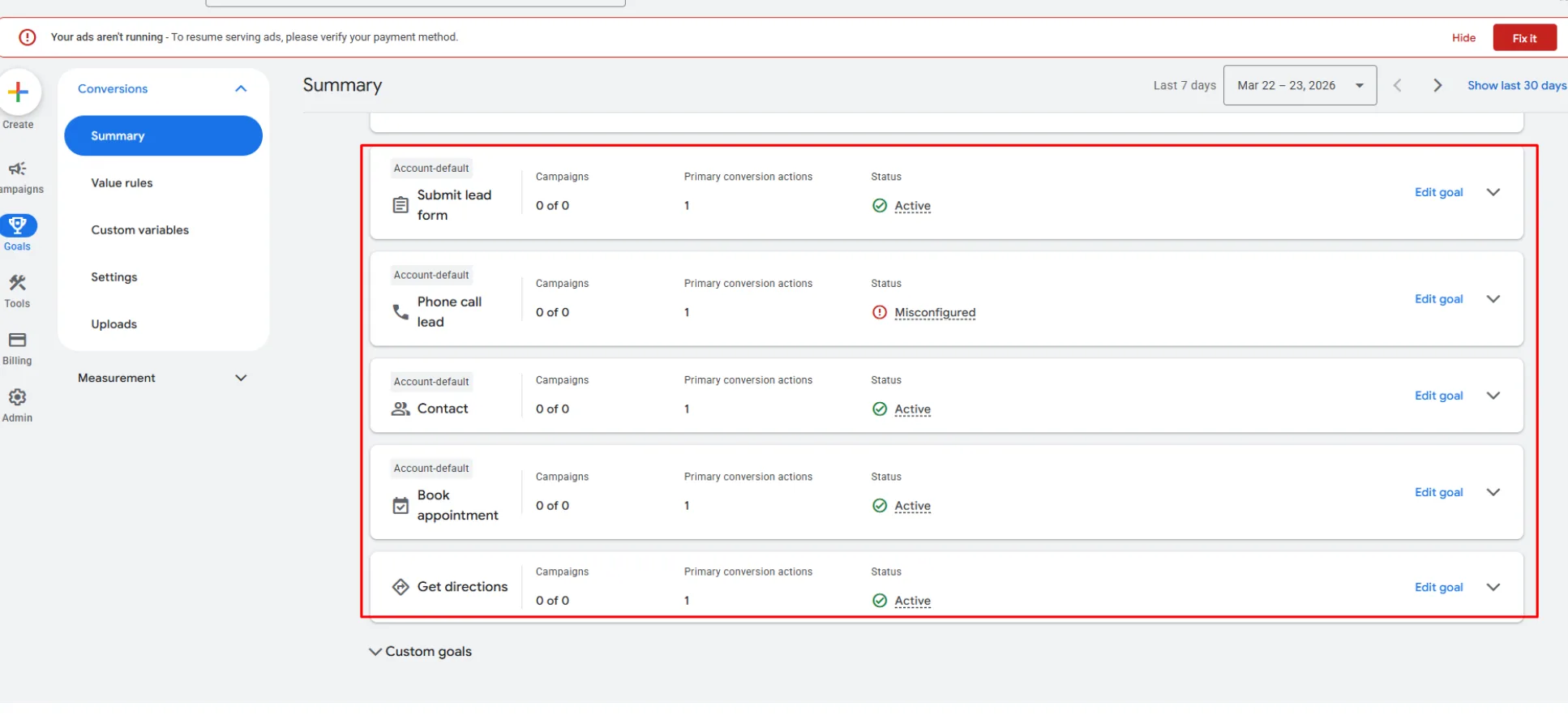
The screens document a two-container setup: web GTM plus server-side GTM on Stape, feeding GA4, the Meta Conversions API, and 5 Google Ads conversion actions from one counted stream.
Fitness and self-defense studio
Where do these numbers come from?
Meta Events Manager showing lead events from browser and server matched and merged. This screen is the proof that claim rests on.
All 7 source screens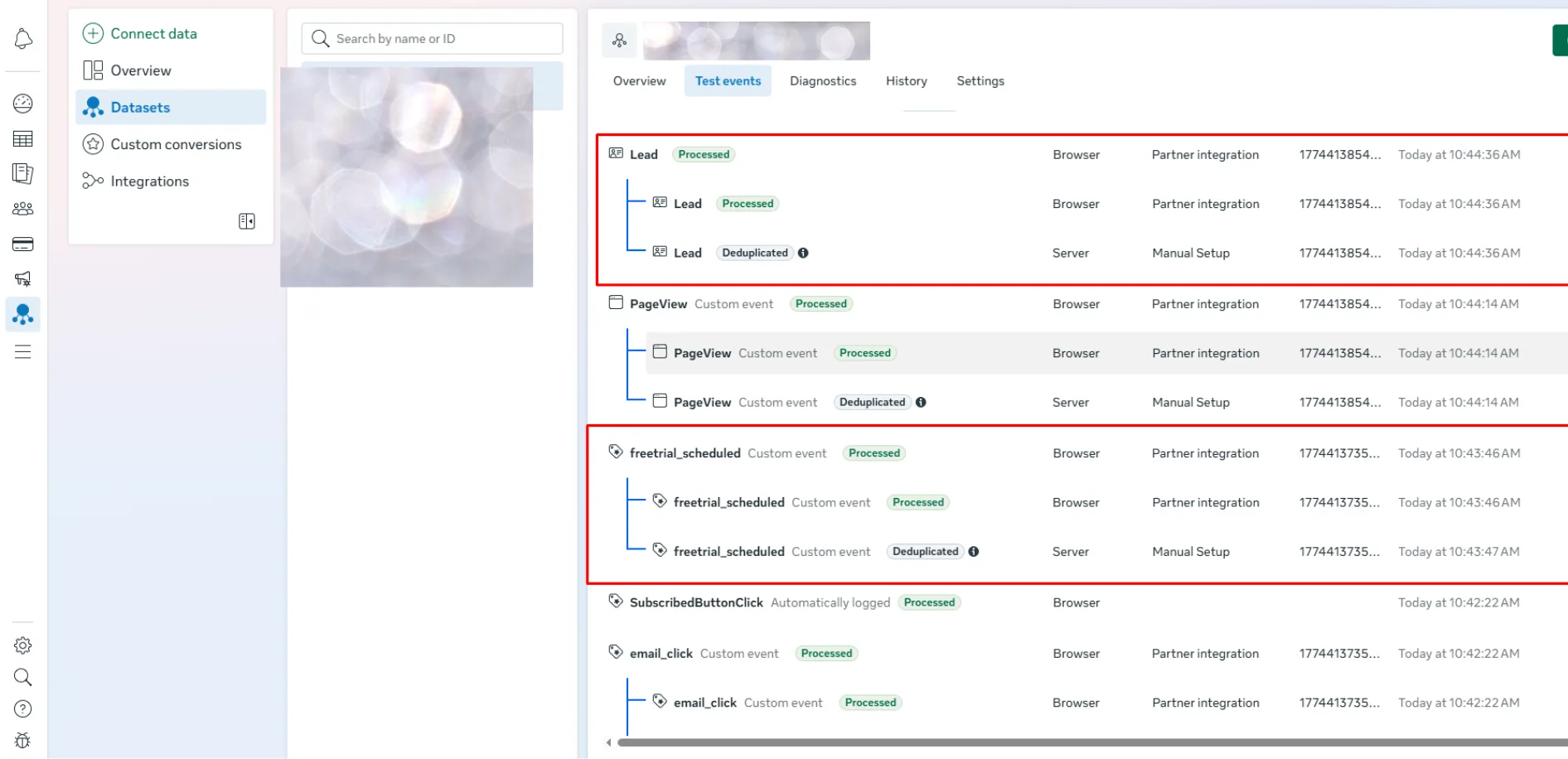
Unedited screenshot · Tracking setup record
What this record shows.
-
The core fix
Joined browser and server events with shared IDs to prevent double counting in Meta.
-
The measurement
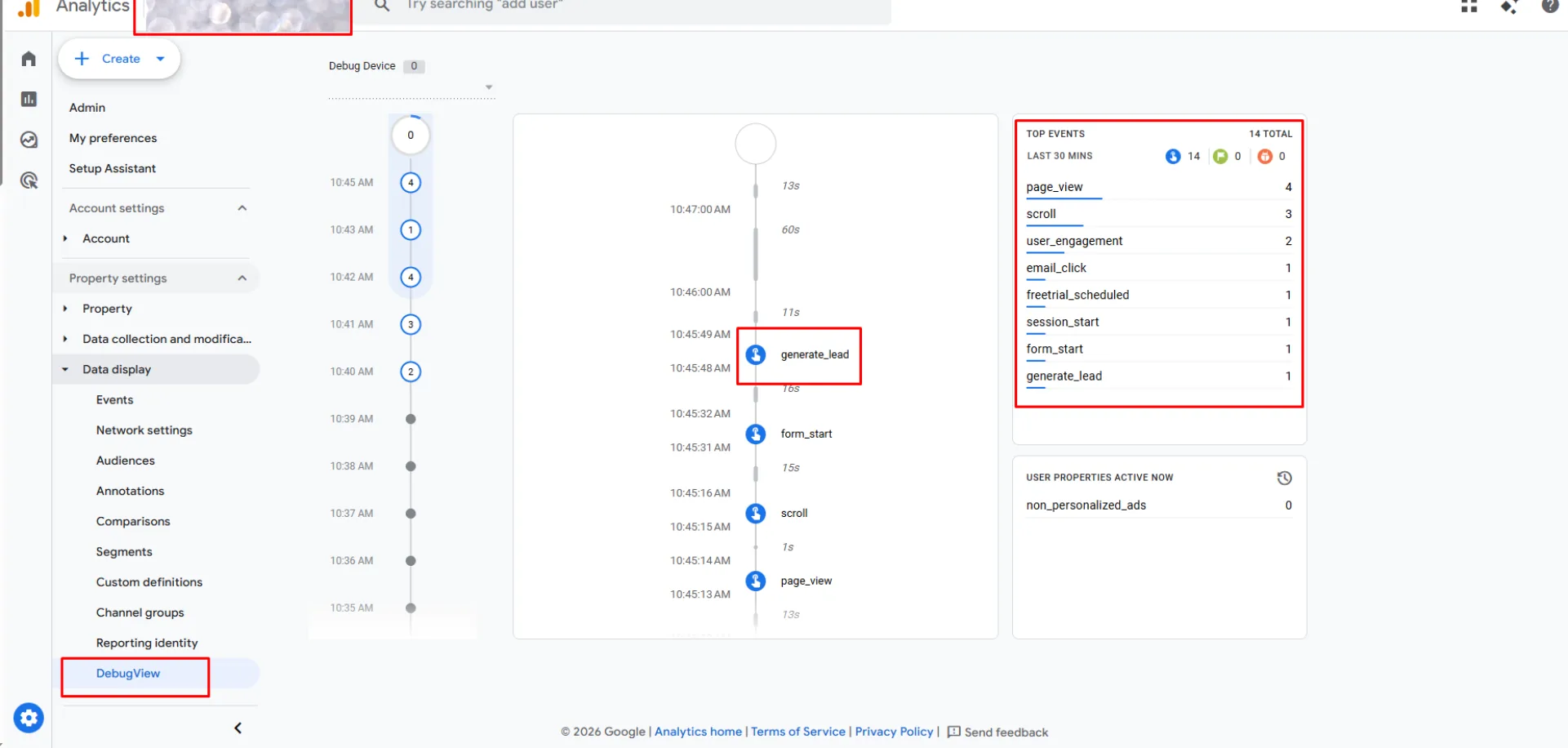
GTM preview, GA4 DebugView, and Meta Events Manager show the tested event path.
-
The next step
My recommendation: monitor live event counts each week so the counted stream stays clean.
How the work happened.
-
Data layer and web container
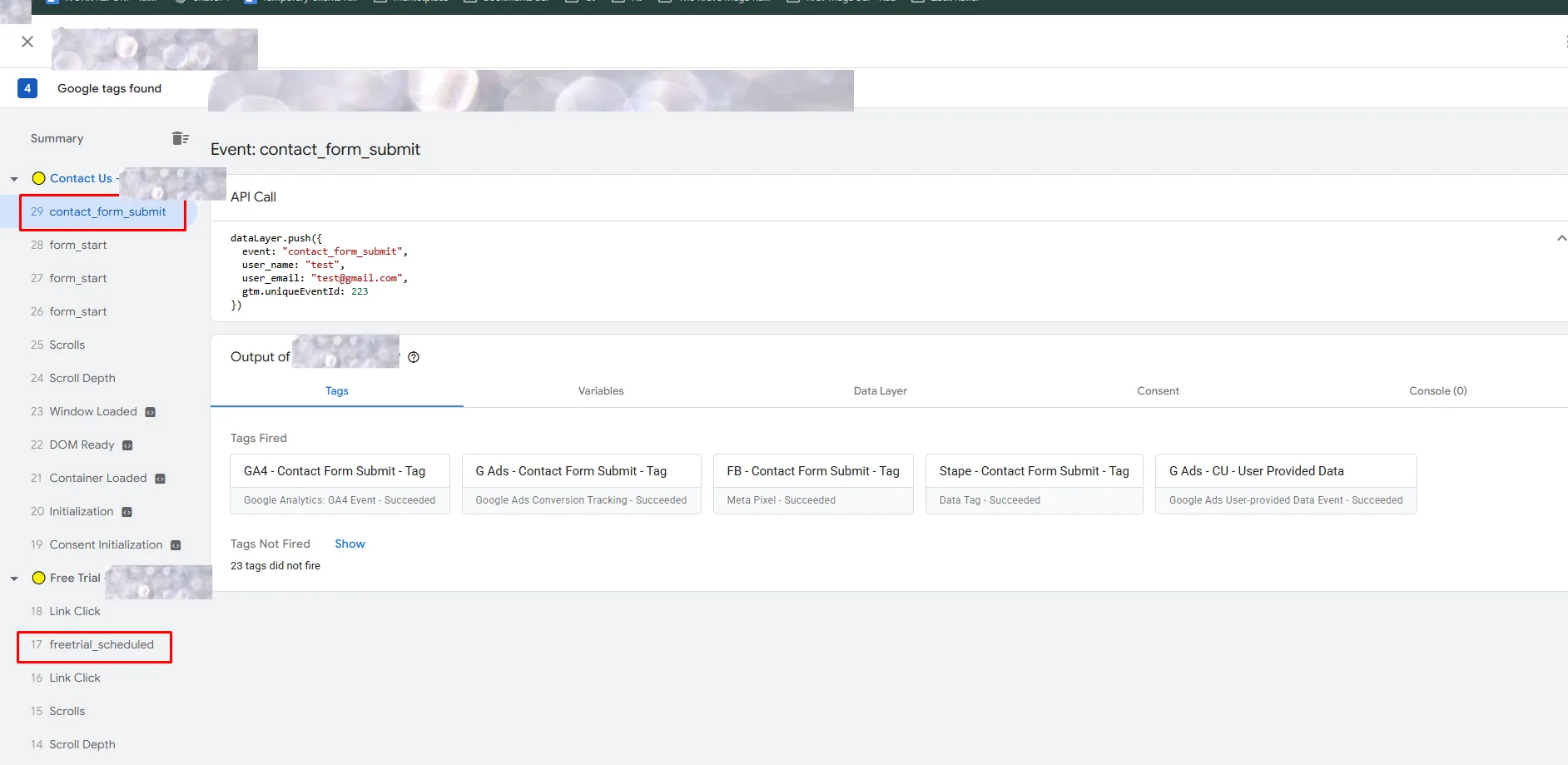
Consistent event names, including generate_lead and freetrial_scheduled, captured with user-provided data.
-
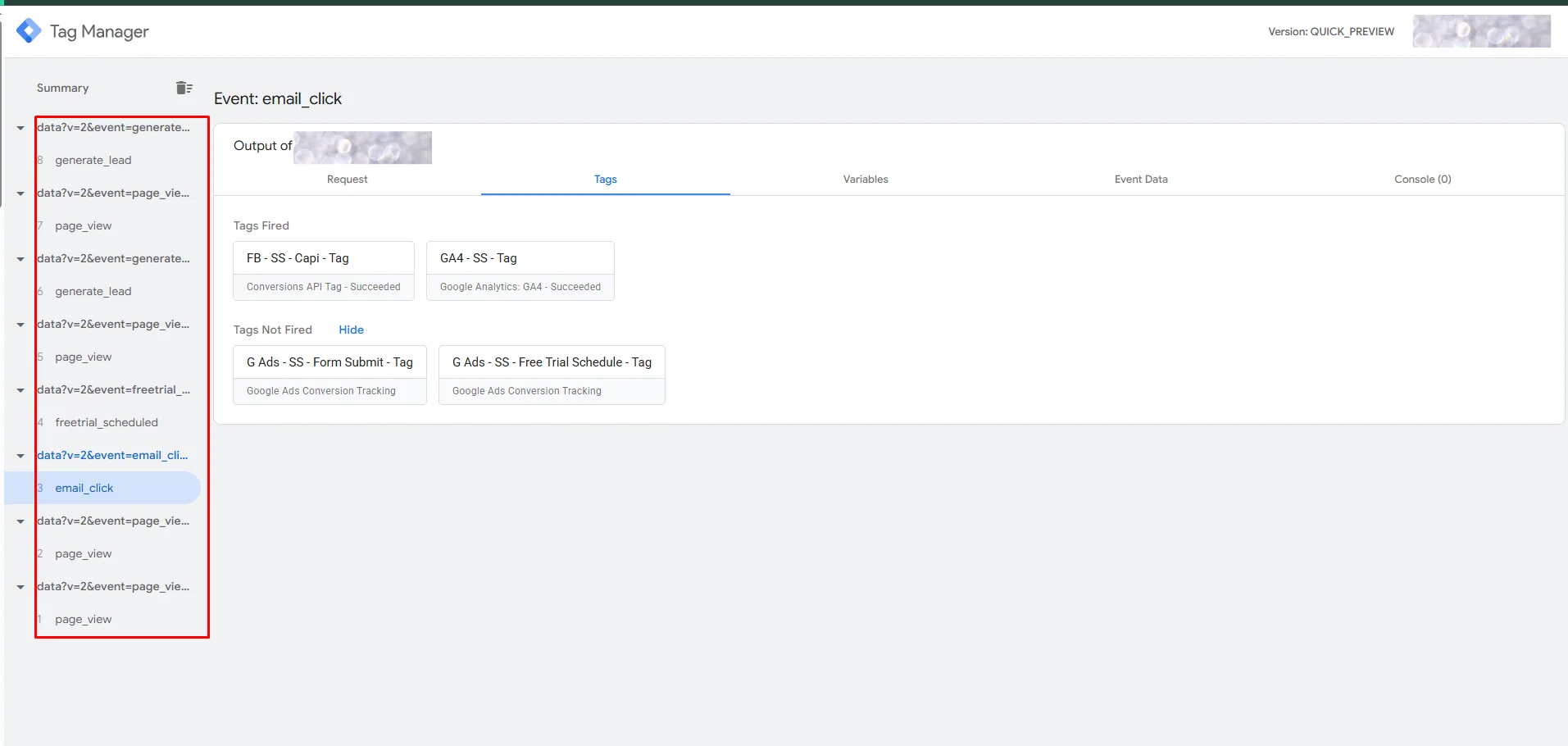
Server container on Stape
Events received first-party and sent to GA4, Meta, and Google Ads from a domain the studio controls.
-
Validation
GTM preview, GA4 DebugView, and Meta Events Manager screens confirm events firing, matching, and not double counting.
Full account notes: starting point, problem and approach
What needed to change
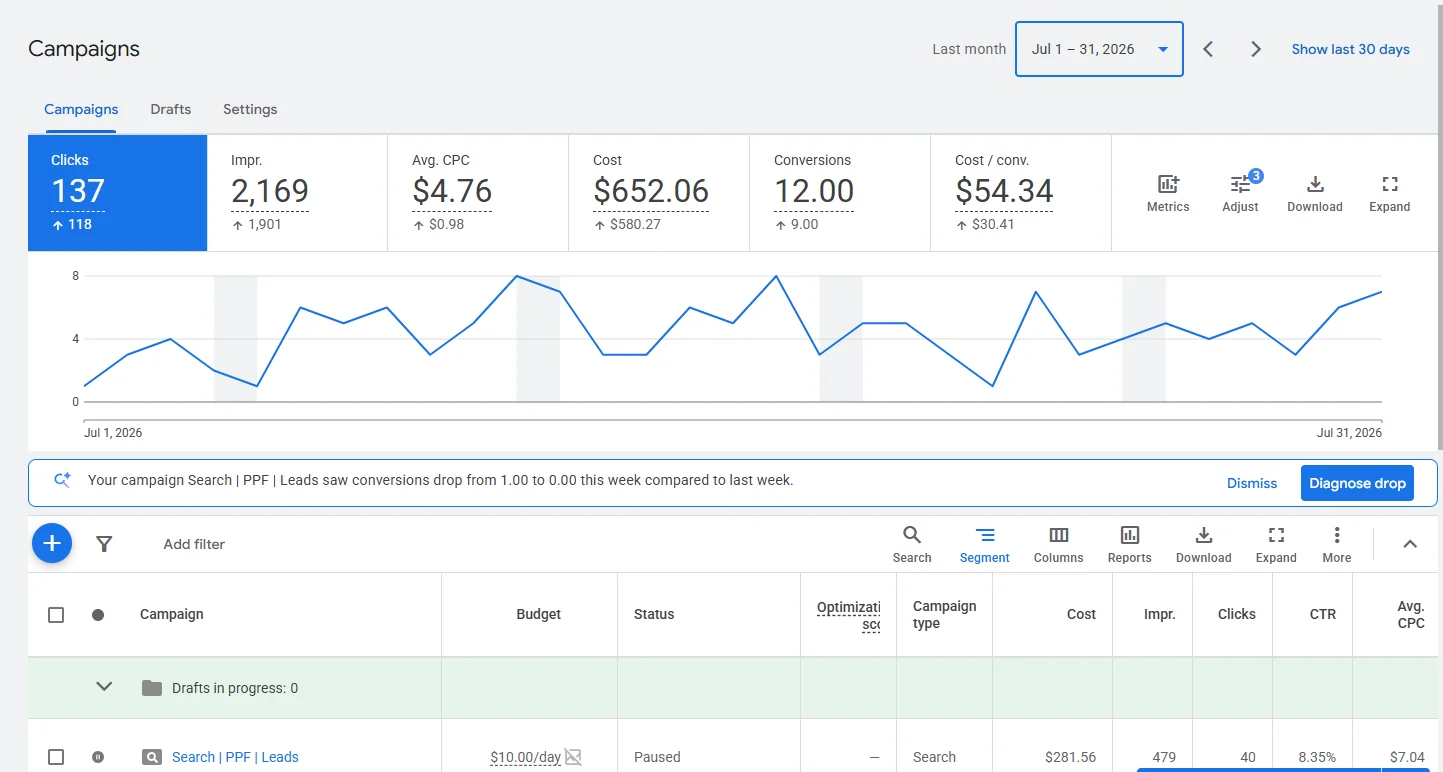
A fitness and self-defense studio could not tell which ads brought in new members. Browser-only pixels were losing data to ad blockers. Under Safari's tracking rules, a cookie can also expire in as little as 7 days, which broke the link for anyone who clicked an ad and came back later to book a trial.
Starting point: Browser-only pixels losing conversions to ad blockers and 7-day cookie expiry
When the numbers come from: Setup and validation record
What the campaign needed
Adding a server feed the wrong way can count each event twice, once from the browser and once from the server. Without a shared event ID, more data just means double counting. The build had to prove it was not double counting.
Work applied to the record
- Defined a clean data layer for every meaningful action: page views, form starts, contact form submits, free-trial schedules, and email clicks
- Set up a server-side GTM container on Stape to receive events first-party and send them out to each platform
- Gave every event a shared ID so the browser pixel and the server event merge instead of double counting, confirmed in Meta's Events Manager
- Mapped 5 Google Ads conversion actions: lead form, phone call, contact, appointment booking, and direction requests, with server-side tags carrying the highest-value events
- Checked the full path in GTM preview and GA4 DebugView before handoff
Every screen behind the numbers.
One page a month, in plain numbers.
Spend, calls, and forms on one page, with the decision written down.
How I count calls, forms, and spendYour one-page monthly report
See what your ads brought in.
Illustrative sample, not this account
- Google ad spend
- $1,200
- Management fee
- $400
- Total cost
- $1,600
24 recorded calls
12 recorded forms
- Cost per call or form
- $33.33$1,200 ad spend ÷ 36 recorded contacts.
- Calls over 60 seconds
- 19Of 24 recorded calls.
- Search terms blocked
- 46Added as negatives this month.
- Spend on top campaign
- 58%Emergency repair: 22 of the 36 contacts.
Key questions about this account record.
What was the verified result in this tracking tracking setup case study?
The screens document a two-container setup: web GTM plus server-side GTM on Stape, feeding GA4, the Meta Conversions API, and 5 Google Ads conversion actions from one counted stream. (Tracking setup record: web and server events checked in GTM, GA4, and Meta Events Manager.). Managed by Sadekul Islam.
What strategy produced Server-side tracking, no double counting, validated?
Defined a clean data layer for every meaningful action: page views, form starts, contact form submits, free-trial schedules, and email clicks. Set up a server-side GTM container on Stape to receive events first-party and send them out to each platform. Gave every event a shared ID so the browser pixel and the server event merge instead of double counting, confirmed in Meta's Events Manager. Mapped 5 Google Ads conversion actions: lead form, phone call, contact, appointment booking, and direction requests, with server-side tags carrying the highest-value events. Checked the full path in GTM preview and GA4 DebugView before handoff.
What was the starting baseline and reporting window for this tracking account?
Baseline: Browser-only pixels losing conversions to ad blockers and 7-day cookie expiry. Reporting window: Setup and validation record. Every metric is backed by unedited Tracking setup record screenshots on this page.
The form sends your details to me by email. I reply personally.